How can I download the Office software onto my computer? (Word, Excel, etc)
How can I download the Office software onto my computer? (Word, Excel, etc)
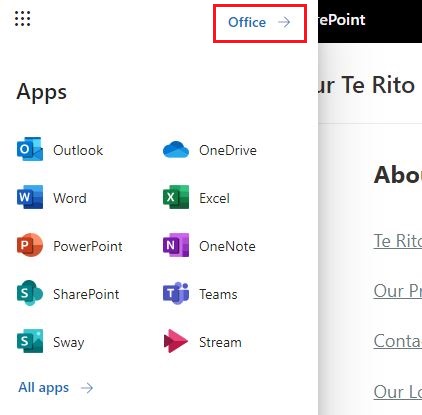
Go to the Student Landing Page and click on the app launcher (nine dot symbol) in the top left hand corner

Once the app launcher opens, click on the Office link in the top right hand corner (this will open a new tab in your browser)
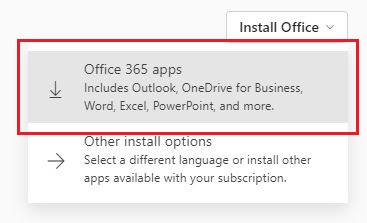
On the new tab in your browser, click on Install Office in the top right hand corner

Click on Office 365 apps (this will download all Office 365 software programmes directly to your computer)
Background Colour
Font Face
Font Size
Text Colour