How do I access my papers/course pages on PMA?
How do I access my papers/course pages on PMA?
You have a few options/ways to get to your papers/course pages:
On the Topbar Menu, under Aku Akoranga/My Courses.
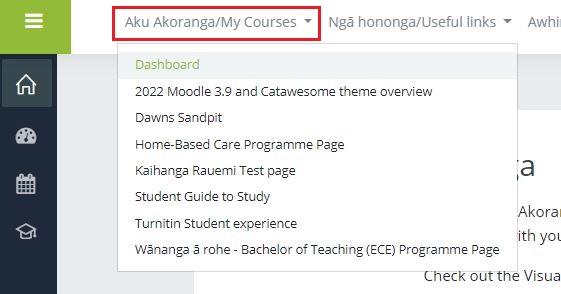
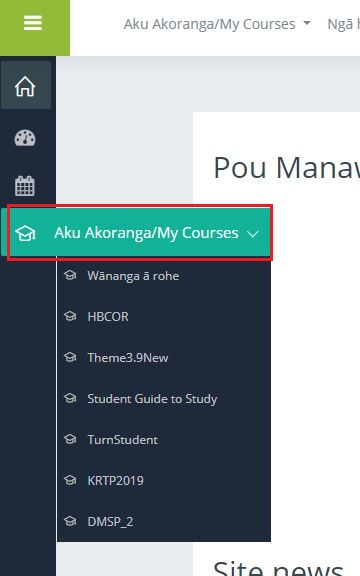
2. On the Sidebar Menu, under the trencher/graduation hat icon, which is also a Aku Akoranga/My Courses menu.
PLEASE NOTE: When accessing your papers/course pages under this menu, you will only see the course abbreviation, not the full course title.
For example, you will see something like 2201ECE2, rather than ECE2 - Contexts of Early Childhood Education, Semester 1 2022.
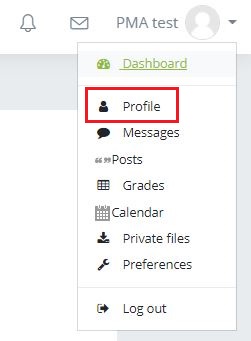
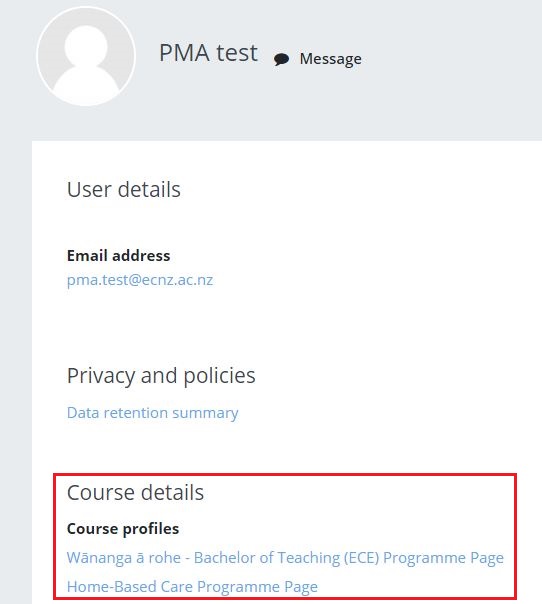
3. Under your profile on PMA, you will have a Course Details section, where links to your course pages/papers will also sit under.
Background Colour
Font Face
Font Size
Text Colour